Make the layout
work for you.
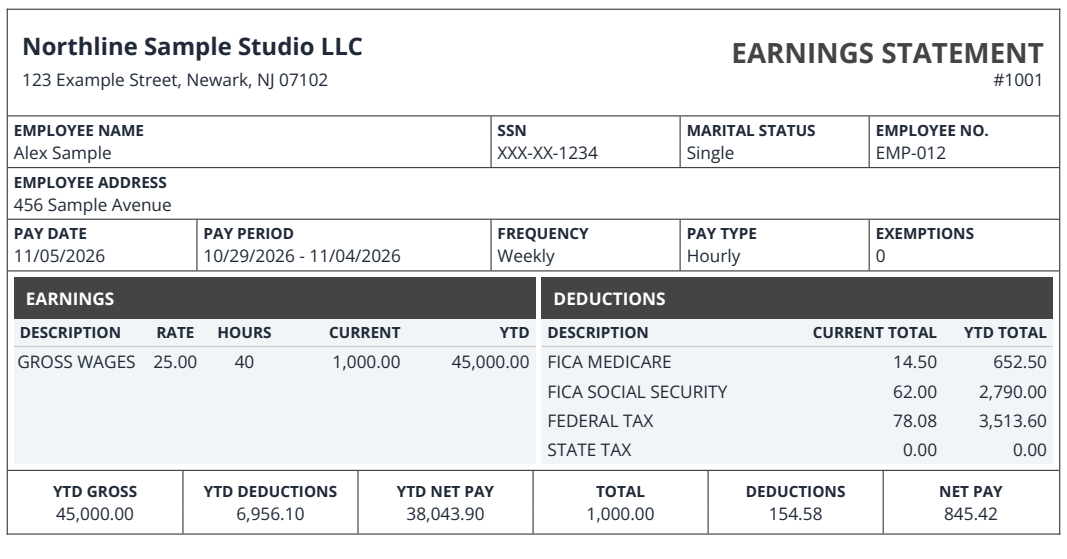
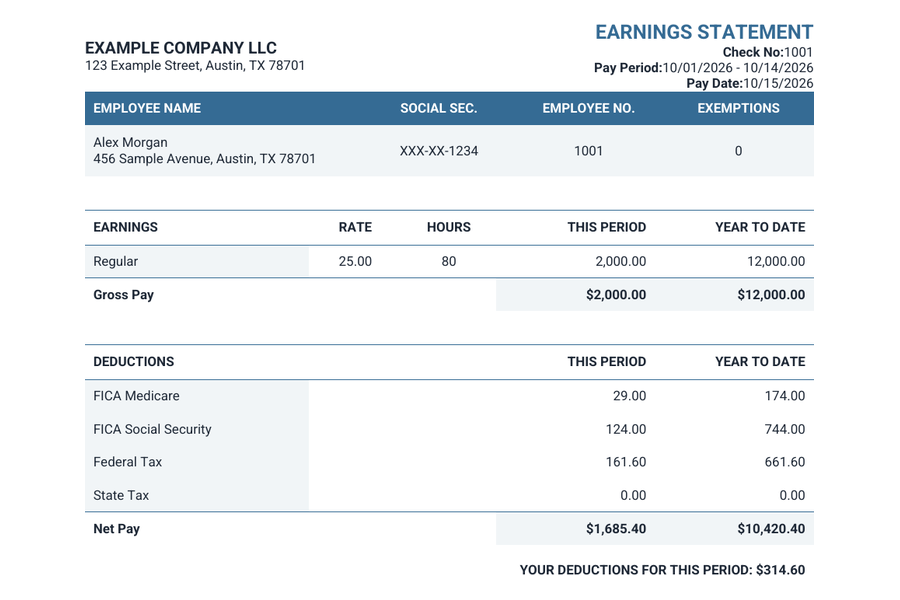
Select a design, choose its available type and color settings, and see where each amount will sit on the finished page.
Turn a completed payroll record into a pay stub you can keep. Enter the dates, wages, and deductions, pick a layout, and check the statement before buying the PDF.
Use the generator to style your statement, or open a live worksheet to work directly with pay periods and earnings.
Select a design, choose its available type and color settings, and see where each amount will sit on the finished page.
Choose based on how many kinds of earnings you need to show.
Build a concise statement for ordinary salary or hourly pay.

Itemize earnings such as overtime, vacation pay, and bonuses.

All prices use USD. See the full total for multiple pay periods and any optional deposit illustration before you confirm.
Prepare hiring documents, collect billing details, and estimate a paycheck between pay runs.
Find the builder for your tax form, workplace letter, or invoice.
Put the job title, start date, compensation, and terms into a letter with four available layouts.
See an estimate of net pay and the deductions that affect it.
Compare gross wages, estimated withholding, and take-home pay for your selected state.
Select the state where you work and enter the pay frequency.
Have the legal names, start and end dates, wages, and each deduction on hand. Gather prior totals if the statement includes year-to-date figures.
Preparation checklistCheck the pay date, the net amount, and each deduction alongside the corresponding payroll entry.
Open Pay Stub GeneratorDownload the completed statement after checkout. File it securely and keep the order link for future access.
Find an existing orderBegin with the pay dates and name on the statement. Next, trace the earnings that make up gross pay and the deductions that lead to the amount paid.
Compare the current-period figures with the year-to-date column before storing the statement with the rest of your payroll records.
Get to know your pay stubExplore the clear, practical guide.Sample figures in USD.
See what each field represents and which records to gather.
Find answers about choosing, checking, and retrieving a pay stub.
Choose the generator for layout and style options. Use Regular for standard wages and deductions, or Enhanced to show more earning types and optional employee address details.
Compare your optionsYes. Review every period before checkout. Verify the listed dates and pay amounts against the records you used.
Open Pay Stub GeneratorPay Stub Generator starts at $3.99 USD per pay stub. Regular is $4.99 USD and Enhanced is $7.99 USD per pay stub. Additional stubs and optional deposit slips affect the total, which you can review before checkout.
Explore designs & pricingThe order page provides download and print options once payment is complete. Keep the PDF and store the order link privately.
Generate Paycheck Stub formats your payroll details. It provides no independent employment or income verification. Check with the intended recipient about the records they accept.
Open the link in your order email. If the email is missing, request the link using the address you entered at checkout.
Find an existing orderCheck your document before checkout.